Two Cloudflare Workers for Obsidian Vaults and Claude AI
I've made two projects public today: obsidian-mcp-cloudflare and obsidian-link-resolver-cloudflare. Together they let Claude.ai (including the app, which requires OAuth and a cloud-accessible infrastructure) read and write my Obsidian vault, and they let anything outside Obsidian link to a note in a way that survives a rename. Both are Cloudflare Workers, both are MIT licensed, and both run on the free tier — for a single-user vault the monthly bill is $0. You could, of course, connect the AI of your choice to the system via MCP (ChatGPT, Gemini, etc.), it doesn't have to be Claude. These workers just provide MCP (and web-redirect) on top of the R2 bucket with the Markdown files.
Background
I've known about Obsidian for years, but kept finding other apps that had nicer interfaces and fewer plugins to sort through (there's such a thing as too many options!) so I never used it full time. When I went looking a couple of weeks ago for a way to access my notes via Claude easily, most of the results came up with tools and systems that embedded AI inside the tool; I wanted something that would let me use the tool from AI so I could have my other integrations and systems come along for the ride. That left not many results, but Obsidian's open format and a couple of useful plugins already available made me take a second look. That, and it's now free for commercial use (commercial licenses are still voluntarily available to provide funding).
The default Obsidian look, though I'm not ultra picky about the user interface, looked way nicer when I switched to the Cupertino theme (and there are a lot of other nice ones!), and the Remotely Save plugin lets me sync in the background easily, or force a sync any time from the menu, across all Obsidian-supported platforms. So I built a proof of concept, it worked well, and I iterated on it a bit to add unique IDs and permalinks along with note patching to give AI an easier time editing notes precisely without fully replacing the entire contents.
I initially tested the system by storing a few things like AI prompts I wanted to remember (I've got several, but the best one so far is Ashley Cooper's Anti-Slop Glossary!) and a few other miscellaneous notes as I happened upon them.
Holds up at a conference
In mostly accidental timing, I was scheduled to attend the MSPGeekCon conference about a week after I got my Obsidian/Cloudflare MCP server working. And when I arrived and sat down in the first session, I had to decide if I took no notes (easiest), took pictures of slides (but I rarely look at them again), wrote handwritten notes (my handwriting is terrible and slow, so I can barely write them or read them later), or some combination. Since the Obsidian MCP was fresh in my mind, I thought "I wonder how well Claude will take a picture of a slide and optionally any context from the talk I add, and turn it into a little conference note for me?"
The answer? Amazingly, incredibly well. It's how I took notes in every session I attended. Even better, I spoke with several new folks and existing contacts and friends throughout the conference. People my brain can't keep up with remembering as well as I'd like, nor what we talked about. So I took a photo of each person with their name badge when we finished talking (I asked if it was OK first) and uploaded that to Claude with a short list of what we had talked about and anything I wanted to remember to follow up on later. Claude put these into a long note for the conference with each person, their details, and the summary of the conversation along with a separate "follow up" checklist at the end.
I started keeping the session notes in the same file, but they got long enough I had Claude put each session in its own Markdown file, but keep everything cross-linked so the main note links to each session note and vice versa. I took photos of the daily schedule signs and had Claude convert that to a new schedule note; it could then look at the note to reference the names and speakers at each talk when making notes later, plus I have the schedule saved centrally with the notes (the conference app has the schedule as well but I'd have to take a lot of screenshots since it's not one page):
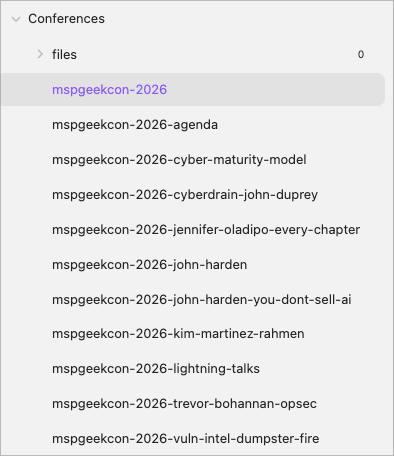
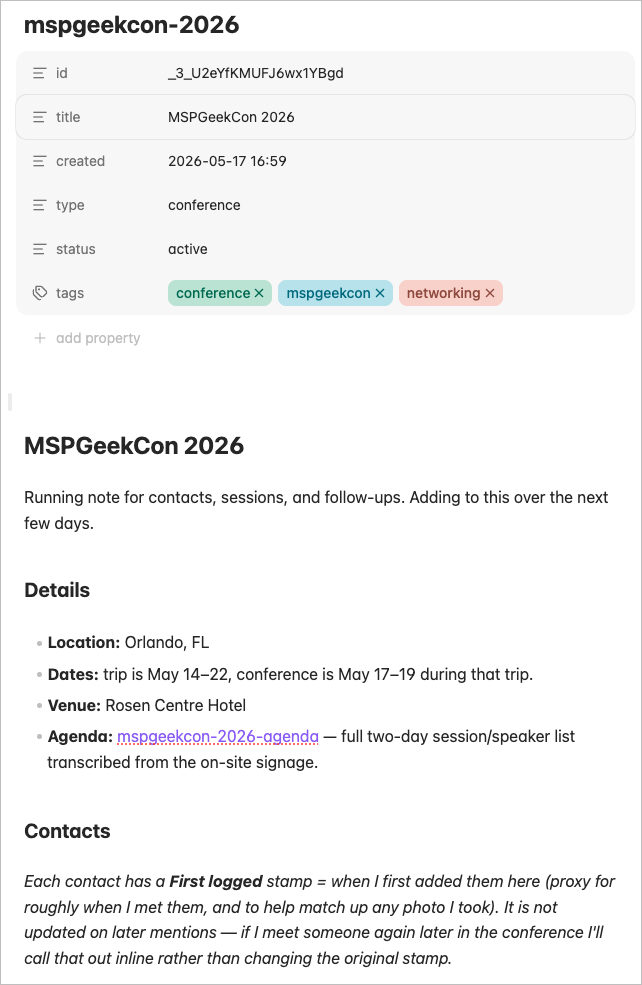
What does the note look like? The overview note starts like this, with all the frontmatter set via MCP contextually:
Digging into a specific session, the Vulnerability Intel panel note started like this after sending the first slide and some of my own notes I typed from the speakers into a Claude request:
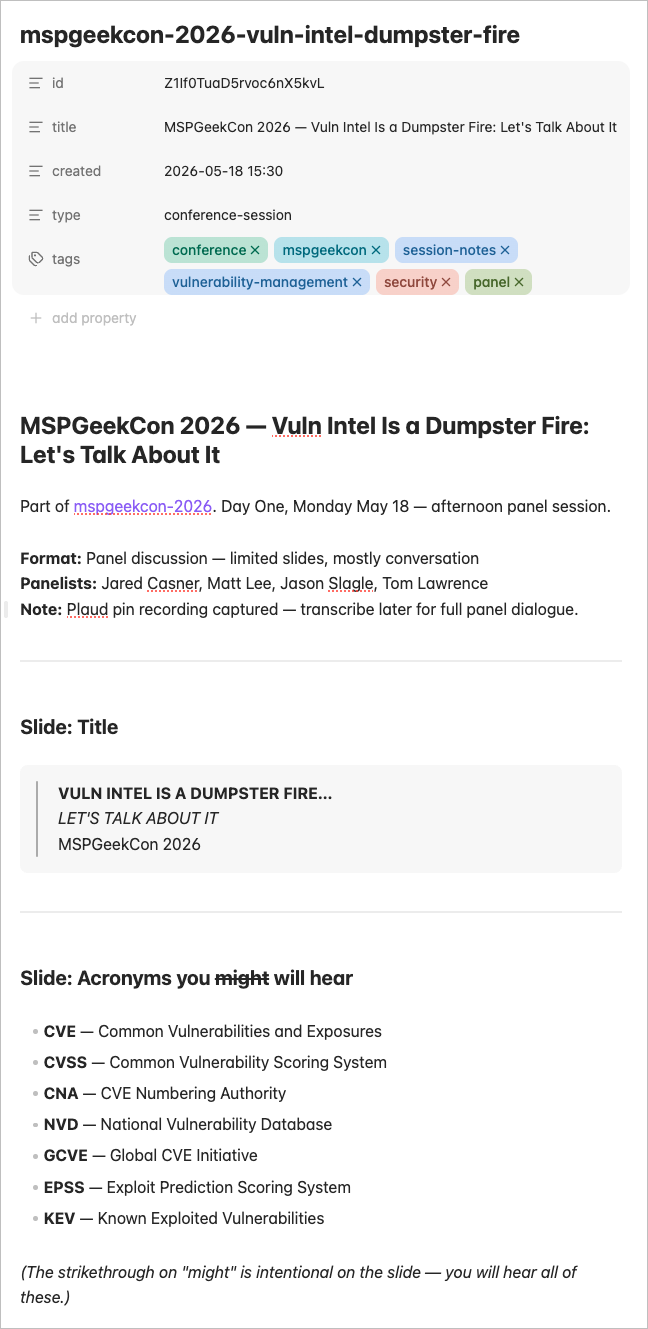
And the first part of the panel session notes below that (the session had fewer curated slides so it was the notes were more haphazard and covered a few things I typed in mostly):
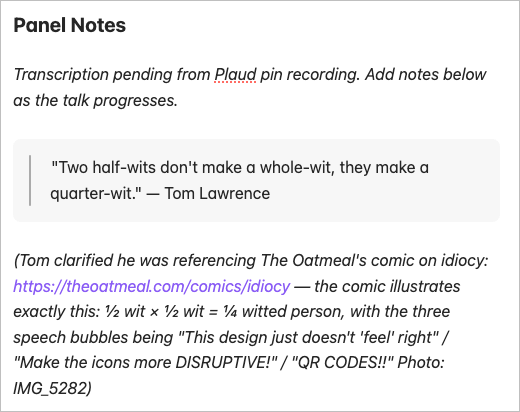
So that was super useful. And, at least 5 people I showed this to at the conference were like "I need to do this!" so, I converted it to a public project with easy to follow directions so you can set it up yourself! Keep reading for the details.
The setup they assume
These Workers sit on top of an Obsidian sync setup. My vault runs in Obsidian on a Mac, iPhone, and iPad, and the Remotely Save community plugin syncs it bidirectionally to a Cloudflare R2 bucket every few minutes. That R2 bucket is the single source of truth: the devices sync to it, and the Workers read from it.
Keep one thing in mind if you set this up — leave Remotely Save's end-to-end encryption off. With encryption on, R2 holds only ciphertext, the Worker has no key, and every tool comes back empty. Privacy comes from the private bucket plus the OAuth gate on the endpoint, not from encrypting the files.
Worker one: obsidian-mcp
The first Worker exposes the vault as an OAuth-authenticated MCP server. MCP is the protocol Claude uses to call tools and read data; this Worker implements it against the vault. It binds the R2 bucket directly and serves Claude.ai a set of tools over an endpoint protected by OAuth 2.1, gated by a single shared password you store as a Workers secret. Claude.ai connects through Dynamic Client Registration, so there's no manual client config.
Obsidian (Mac / iOS / iPad)
  └─ Remotely Save ──► R2 bucket ◄── obsidian-mcp Worker ◄── Claude.ai (OAuth)
The tools cover the operations you'd actually use against a vault: list and read notes, substring search across everything, create and replace notes, patch a note in place, move or rename one while rewriting wikilinks across the vault, pull tags and backlinks, and work with daily notes. Search, tags, and backlinks run off an index kept in the Worker's Durable Object storage, so they stay fast as the note count climbs.
Because it's a Worker, there's nothing to run or patch. R2 for storage, Workers for compute, KV for the OAuth tokens, TLS handled automatically — all serverless, all scaling to zero.
One thing I may add later but have not yet is attachment support. Right now, the MCP server only has access to .md Markdown files. UPDATE 10 hours after initial release: there's an upload option now in version 0.10.0! See note at the end of this post; currently supports images and PDFs but you can add your own allow list. But either way, you're welcome to add images or other files to Obsidian directly, the MCP server won't interfere with them.
Worker two: obsidian-link-resolver
The second Worker solves a smaller, separate problem: linking into the vault from outside it. A task manager, a ticket, an email — anywhere you'd want a clickable link to a note. A file path works until the note is renamed, then it's a dead link.
The resolver takes a short HTTP URL and 302-redirects it into an obsidian:// deep link. Three routes:
/n/<id>→obsidian://advanced-uri?vault=<Name>&uid=<id>— preferred, survives renames./p/?path=<path>→ open by path — fallback, breaks on rename./f/<name>→ open by bare filename, wikilink-style.
The /n/<id> route is where the pair clicks together. Every note the MCP writes gets a stable id: in its frontmatter — a 21-character random string that doesn't change when you rename or move the note. The MCP returns a permalink built from that id, and the resolver hands it to the Advanced URI plugin's uid= lookup, which resolves against frontmatter instead of a path. The link points at the note's identity, not its location, so reorganizing the vault never breaks it. Advanced URI is what makes that lookup work, which is why it's the second plugin you need.
Why they're two Workers, not one
The split is deliberate. The MCP Worker has bindings to R2, KV, and a Durable Object — it reads and writes the whole vault. The resolver has none of those and never will; it knows only your vault name and three URL shapes, and reads no content. Putting the resolver's public, unauthenticated redirect inside the Worker that holds full vault access would widen the blast radius for no benefit. They also have different needs: the MCP requires OAuth, the resolver requires no auth at all; the MCP changes whenever I add a tool, the resolver almost never changes. Keeping them apart keeps each one simple.
You can run the MCP without the resolver — you just won't get the short, rename-stable links for external systems.
Deploy them
Each repo ships a setup script and a deployment guide that runs about thirty minutes end to end:
If you already use Obsidian with Remotely Save, add Advanced URI, deploy the two Workers, and Claude can work in your vault directly.
Updated Already
If you happened to push this live quickly, and you probably haven't, you'll want to deploy the update I've pushed already as version 0.10.0 that lets you upload files to the Obsidian vault (very limited list included, mostly images and PDF, but you can define your allow-list in the wrangler config).
Uploading images directly via MCP is not really possible due to tiny upload context, but you can either add /upload to your vault URL and upload files to the root (or a user-defined folder), which will require a secret you pre-configure via Worker Secrets (leave this out to not enable the feature), or you can ask AI for an upload link via MCP, which opens a link that lets you choose 1-10 files to upload that can generically go to a default folder or be tied to a specific note you're already working with. The custom link is good for 15 minutes only, and you do have to at least tell your AI tool that you're done uploading files (no way to call back and say it's completed). But it's working quite nicely in my testing so far! There are a few additional variables to define, everything should be in the deployment file.
Since this came out about 10 hours after the initial version was published, my guess is most of you won't need to upgrade, it's just part of your initial deployment!