Setting 'My Day' in Microsoft To Do from your own Entra app
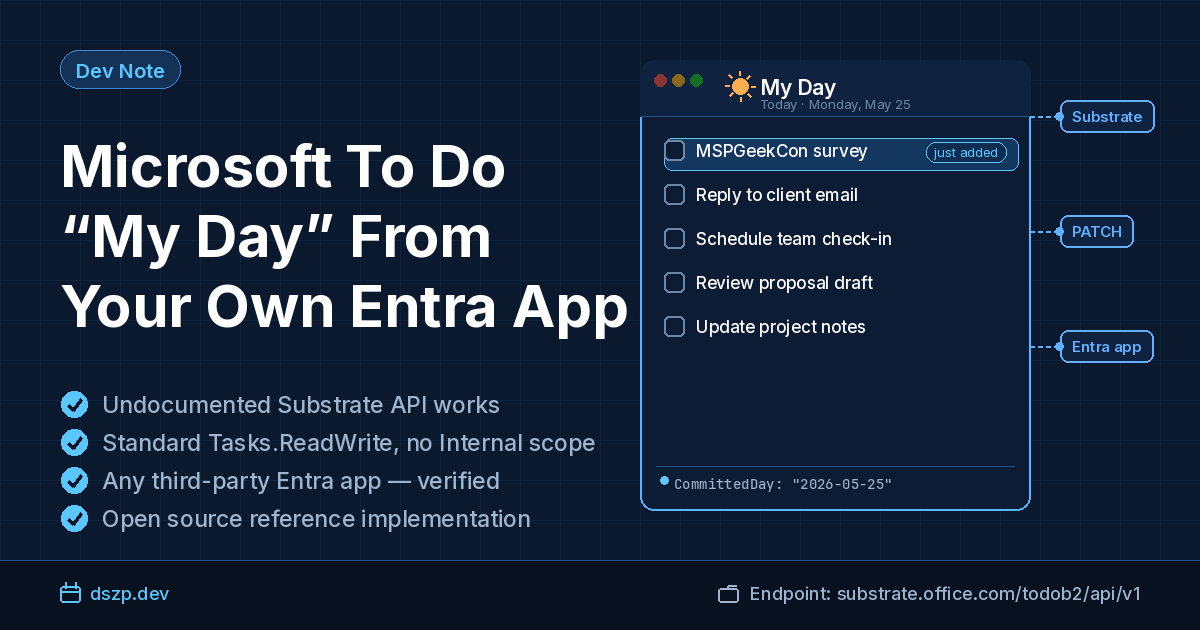
If you've ever wanted to drop a task into Microsoft To Do's "My Day" from a script, the standard answer has been "you can't." Microsoft Graph's todoTask schema doesn't expose it. Power Automate's connector doesn't have an action for it. EWS doesn't see it. The Microsoft 365 Developer Platform Ideas portal has had an open request to add it since 2021, the Tech Community thread asking for it has been live and unanswered since February 2022, and Microsoft's own bot closed microsoftgraph/microsoft-graph-docs#14367 without a technical response.
The endpoint exists. It's an undocumented Substrate API. Writing to it works from any Entra app registration with Tasks.ReadWrite delegated against the Office 365 Exchange Online resource — no first-party-client impersonation, no *-Internal scope shenanigans. I verified it this week in a fresh tenant with a fresh third-party app and integrated it into A Cloudflare Worker for Microsoft To Do and Claude AI (project is directly at mstodo-mcp-cloudflare).
This post walks through what the field is called, how to write it, and the one assumption the community has been making that turned out to be wrong.
What "My Day" actually is, storage-wise
My Day is a UI surface in the Microsoft To Do clients — a list separate from your real lists where you stage what you're going to focus on today, and which appears to reset each night. Microsoft's documentation describes the reset behavior: "Any tasks in My Day that aren't completed before the list resets will be saved to your Tasks list and included in your suggestions the following day."
The community's understanding stopped roughly there. The best public reverse-engineering — Pascal Bihler's writeup at overexact.com — documented the undocumented Substrate endpoint at https://outlook.office.com/todob2/api/v1/ (also reachable at substrate.office.com) and its OrderDateTime field. It did not cover My Day specifically, and as far as I could find, no one else had published the property name either.
The actual storage model turns out to be simpler than the UX implies. Each task has a CommittedDay field (a calendar date string, no timezone). Each client renders "My Day" as WHERE CommittedDay == client.localToday(). The "nightly reset" is purely client-side; the server never modifies CommittedDay. Yesterday's task doesn't get cleared at midnight — its date just no longer matches "today" in the local timezone of whatever client is rendering the list.
That's elegant, and it means anything that can PATCH CommittedDay controls My Day membership.
The wrong assumption that blocked progress
Here's where the community got stuck. If you decode the access token used by the official Microsoft To Do web app, it carries a scope called Todo-Internal.ReadWrite. The PWA's appid is 3ff8e6ba-7dc3-4e9e-ba40-ee12b60d6d48 — Microsoft's first-party client, not registrable by you or me. Scopes named *-Internal are typically reserved for first-party apps; see also Substrate-Internal, LoopAppData-Internal, and similar. The natural assumption was that writing My Day required that scope and was therefore unreachable from a third-party app.
It turns out Todo-Internal.ReadWrite is present in the PWA's tokens but not load-bearing for the CommittedDay PATCH specifically. The Substrate endpoint accepts the standard Tasks.ReadWrite delegated permission Microsoft has documented and supported on the Exchange Online resource for years. The -Internal scope is needed for other Substrate paths the PWA uses, but not this one.
The API contract
Endpoint:
PATCH https://substrate.office.com/todob2/api/v1/taskfolders/{folderId}/tasks/{taskId}
folderId and taskId are the same Exchange item IDs (AAMkAD...) that Microsoft Graph returns for todoTaskList.id and todoTask.id. No translation needed.
Headers:
| Header | Value |
|---|---|
Authorization | Bearer <token> with audience https://outlook.office.com |
Content-Type | application/json |
x-anchormailbox | OID:{user.oid}@{tenant.tid} |
The x-anchormailbox header isn't required for the write to persist — but without it, the official clients won't see the change until their next poll. Build it once at OAuth-callback time from the JWT's oid and tid claims.
Body (add to My Day):
{ "CommittedDay": "2026-05-25" }
Body (remove from My Day):
{ "CommittedDay": null }
CommittedDay is interpreted as a local date in the user's timezone. If your code runs on UTC infrastructure (Cloudflare Workers, AWS Lambda, etc.), compute "today" against the user's mailbox timezone from GET /me/mailboxSettings?$select=timeZone on Graph, or accept an explicit date from the caller. Don't just call new Date().toISOString().slice(0,10) — between 7 PM and midnight Eastern, that writes tomorrow's date.
Entra app registration
The Exchange Online resource isn't directly selectable in the portal's "Add a permission" picker for most tenants, but you can add it via the Manifest blade. The required block (add the following block as an additional array item inside any existing requiredResourceAccess block with your other permissions):
{
  "resourceAppId": "00000002-0000-0ff1-ce00-000000000000",
  "resourceAccess": [
    { "id": "6b49b74d-642f-4417-a6b4-820576845707", "type": "Scope" }
  ]
}
00000002-0000-0ff1-ce00-000000000000is Office 365 Exchange Online.6b49b74d-642f-4417-a6b4-820576845707is the GUID for delegatedTasks.ReadWriteon that resource (documented in Microsoft's EWS OAuth guidance and used by Pascal Bihler's overexact.com manifest example).
Save the updated Manifest and it will add to the API permissions blade a permission called Tasks.ReadWrite as a Delegated permission under the Office 365 Exchange Online category.
After saving the manifest the permission appears under the API permissions blade as the permission Tasks.ReadWrite, a Delegated permission under the Office 365 Exchange Online category, and can be admin-consented in the usual way. Tasks.ReadWrite doesn't require admin consent in a default tenant, so user consent at sign-in also works unless your tenant has custom consent overrides.
Token acquisition
The Microsoft identity platform v2 endpoint issues one access token per resource per request, but the refresh token issued at first consent is good for any resource the user has consented to. You can either request both resources' scopes in a single /authorize (one consent screen, one refresh token, two access-token audiences via separate refresh calls), or treat them as two consent rounds via incremental consent. When you need to call Substrate, mint an access token by calling /token with grant_type=refresh_token and scope=https://outlook.office.com/Tasks.ReadWrite.
For a quick one-off test from PowerShell:
Install-Module MSAL.PS -Scope CurrentUser

$tok = Get-MsalToken `
  -ClientId    '<your client id>' `
  -TenantId    '<your tenant id>' `
  -Scopes      'https://outlook.office.com/Tasks.ReadWrite' `
  -Interactive `
  -RedirectUri 'http://localhost'

$anchor = "OID:<your oid>@<your tenant id>"
$body   = @{ CommittedDay = (Get-Date -Format 'yyyy-MM-dd') } | ConvertTo-Json

Invoke-WebRequest `
  -Uri "https://substrate.office.com/todob2/api/v1/taskfolders/$fid/tasks/$tid" `
  -Method PATCH `
  -Headers @{
    Authorization     = "Bearer $($tok.AccessToken)"
    'Content-Type'    = 'application/json'
    'x-anchormailbox' = $anchor
  } `
  -Body $body
You need the public-client flow enabled on your app registration for Get-MsalToken -Interactive to work; toggle it under Authentication → Allow public client flows. Revert it after testing if you don't want it permanent.
This endpoint is undocumented. Microsoft can change or retire it without notice and has rotated similar Substrate endpoints before — the legacy Outlook Tasks v2 REST API is a recent example. Anything you build on top should feature-flag the dependency and degrade gracefully. A "MyDay" category tag or a dedicated To Do list, written via plain Graph, is a reasonable fallback if Substrate disappears, even though it won't surface in the official My Day UI.
Since the first draft of this post I built the full read/write path into a deployed service and exercised it live, which resolved several of my earlier unknowns:
$filter=CommittedDay eq '...'— does not work as you'd hope (the field is a datetime); fetch and filter client-side. (Covered above.)PostponedDay— not cosmetic for the add direction;PostponedDay == todaysuppresses My Day, so clear it when adding. (Covered above.)x-anchormailbox— with it set correctly, the official clients reflect the change in real time, well under a second — not just on the next poll.- Token lifetime — Substrate access tokens behave like Graph's (~1 hour); a
401cleanly triggers a refresh-token re-mint with the Substrate scope. CommittedOrderis not required for membership. It controls ordering within My Day and the official client sets it, but a brand-new task that has never been in My Day (noCommittedOrderat all) renders correctly in the official app fromCommittedDay+ clearedPostponedDayalone. So the minimal add is just those two fields; setCommittedOrder(to a timestamp) only if you want to control position within the list.
Things I still haven't verified and would caveat in production code:
- Application (app-only) permissions. Everything I tested was delegated; the broader Substrate surface generally expects a user token.
- Personal Microsoft accounts (
consumers) and multi-tenant (common). My testing was a single work/school tenant. - Pagination on folder reads. I parse the task array a folder returns as-is; I haven't probed whether large folders paginate (a
@odata.nextLink-style continuation) and, if so, whether a My Day task could hide on a later page.
What this means
If you build automation against Microsoft To Do, you can now wire "add to My Day" into anything you want — CLI tools, scripts, AI agents, MCP servers, n8n workflows. The implementation in mstodo-mcp-cloudflare ships it as an opt-in feature behind a config flag, but setup is documented in the Deployment steps.
It would still be nice to have this on Microsoft Graph proper, where it would be documented and contractually stable. If you'd like to see that happen, the Tech Community thread and the ideas portal are the channels to express it. Until then, the Substrate endpoint is what we have, and it works.